What Should You Test on the Highway During a Test Drive?
During a highway test drive, check straight-line tracking, steering vibration, brake feel, wind noise, transmission shift quality, and engine temperature at about 60–75 mph, if conditions and local limits allow. Skip those checks, and you can end up with a car that hides alignment faults, warped brakes, driveline shake, or overheating until speed exposes them. Use this highway-speed sequence so you can catch those faults before you sign.
Plan the route before you get the keys. Consumer Reports says a test drive is often only half an hour at most, recommends trying to drive for at least 30 minutes, and advises finding your own route instead of relying on the dealership or seller. Their route advice also includes both city and highway driving, which is the right mix for a used car. (Consumerreports)
Plan the highway route

Pick a loop that gives you a merge, a steady cruise, a legal passing opening, and at least one stretch of rougher pavement. That mix exposes noise, shake, and control problems faster than a short spin around nearby blocks.
Bring a friend if you want a second set of eyes for route notes or paperwork, but the driver should stay focused on the road. Do not ask a passenger to watch systems while the driver is busy with anything else.
Use a repeatable order
- Set the seat, steering wheel, and mirrors before moving. A common recommendation is to check those adjustments first.
- Leave the lot and drive a few city blocks so you can confirm low-speed controls and visibility.
- Merge onto the highway and settle into a steady cruise at about 60–75 mph, while following posted limits and traffic flow.
- Use a legal opening to assess passing power, then return to cruise.
- Check brake feel during a normal slowdown, rather than during a sudden stop in traffic.
- Finish with driver aids and infotainment once you are settled and conditions allow.
Say your route includes fresh asphalt, a patched section, and a concrete stretch. That helps. Each surface can expose a different noise or shake pattern, and the same route makes it easier to compare one used car against another on the same day.
📊 Consumer Reports recommends trying to drive for at least 30 minutes. Source: Consumerreports.
How should a car feel merging onto the highway?
Merging should feel confident, smooth, and predictable. The car should reach highway speed without obvious hesitation, repeated downshifts, or a long pause before acceleration. If it has a small engine, watch for power reserve that feels thin when you need it most. If it is electric, pay attention to whether regeneration or throttle mapping makes the transition feel uneven.
A car that hesitates on the ramp, surges after a delay, or shuffles through gears more than once may have transmission logic, engine response, or calibration issues. A clean merge is one of the best early signs that the powertrain can handle real traffic.
What to notice on the ramp
- Does the car build speed without hesitation?
- Does the transmission hunt between gears?
- Does the throttle feel delayed, jerky, or flat?
- Does the car feel short on power before it reaches flow speed?
- Does steering stay calm while you join traffic?
A common first-timer mistake is judging a merge only by the first second of acceleration. That misses the second half of the ramp, where weak power reserve or gear hunting often becomes obvious.
How should it track at 60 mph?
At highway speed, the car should track straight with light, steady steering input and no constant correction from the driver. A little road crown or a grooved lane can nudge the car slightly, and that is not the same as true alignment drift. Real trouble shows up as a persistent pull that follows the car across multiple stretches of road.
Hold a steady cruise, loosen your grip slightly, and notice whether the wheel sits near center without wandering. If the car vibrates, shimmies, or sends a buzz through the seat or wheel, that can point to tire balance, wheel issues, suspension wear, or driveline problems.
Normal road effect versus warning sign
| Observation | More likely normal | More likely concern |
|---|---|---|
| Light pull on one road but not another | Road crown or pavement groove | True drift that stays the same on multiple roads |
| Steering wheel near center with tiny correction | Normal highway tracking | No clear issue by itself |
| Wheel shimmy at steady speed | Rarely normal | Tire, wheel, or suspension concern |
| Car feels nervous in its lane | Not normal | Alignment or steering issue |
Picture a sedan that drifts right only on one grooved concrete lane, then tracks straight on smooth asphalt. That points more to the road surface than to a bad alignment. If it pulls the same way on both surfaces, treat that as a concern.
What should you listen for at highway speed?
Listen for wind, road, tire, and drivetrain noise. A used car can sound fine around town and still drone, whistle, or boom at 65 mph. That is why the same highway stretch matters so much: it gives you a fair way to compare noise between two cars under similar conditions.
Wind noise often shows up around mirrors, A-pillars, or roof edges. Road and tire noise usually comes through as a hum, roar, or low-frequency boom that rises with speed. Drivetrain noise can sound like a whine, coarse buzz, or repeated drone that follows throttle changes.
Noise clues worth noting
- Whistle: often points to a seal or mirror-area issue.
- Hum: can come from tires or wheel bearings.
- Boom: may be body resonance or tire roar.
- Whine: can suggest drivetrain or gear noise.
- Rattle: may come from trim, cargo area, or loose panels.
What should you check for wind noise on the highway? Keep the same speed, then note whether the noise changes when you slightly alter lane position or pass a truck. If the sound grows sharply around one window or mirror area, that is a real clue. If the sound only changes with nearby traffic, it may be outside the car.
How should a car feel when merging onto the highway?
It should feel responsive enough to join traffic without strain. The car should accelerate cleanly from on-ramp speed, maintain momentum, and leave enough reserve to move with traffic after the merge. You should not feel like the vehicle is already out of breath before it reaches the lane.
Watch for repeated gear changes, delayed downshifts, weak pull past 60 mph, or an odd pause that makes the merge feel rushed. Those signs matter more in a used car than in a new one, because they can point to wear, software issues, or a powertrain that no longer feels healthy under load.
What should you test on the highway during a test drive?
Test the parts of the car that only reveal themselves at speed: merging, passing, tracking, braking, noise, visibility, and driver-assist behavior if the car has it. A highway test drive should also confirm comfort under load, because a seat that feels fine for five minutes can still be poor on a longer trip.
Check whether the mirrors give a useful view, whether rear visibility is acceptable, and whether the seat belt height and seat position fit your body. Consumer Reports also recommends checking phone compatibility with both cable and Bluetooth, plus features like automatic emergency braking with pedestrian detection, blind spot warning, and rear cross traffic warning when equipped.
What to check before you reach the highway
- Seat adjustment and steering wheel reach
- Mirror placement and rear visibility
- Seat belt height and shoulder fit
- Phone connection through cable and Bluetooth
- Infotainment controls that you may use on a commute
How do you test a car at highway speed?
Use a calm, repeatable sequence. Start with a clean merge, settle into a steady cruise, observe tracking and vibration, then test passing power in a legal opening and finish with a normal slowdown. That order makes it easier to compare one vehicle with another and avoids random, incomplete impressions.
Do not provoke safety systems or depend on them to fix a bad situation during the drive. If the vehicle has adaptive cruise or lane keeping assistance, note whether the behavior is smooth, late, or intrusive, and whether the system is easy to turn off. Use the features as observations, not as a driving aid for the test itself.
Safe highway sequence
- Merge smoothly and note throttle response.
- Hold 60 mph to 75 mph and watch the steering wheel.
- Listen for new noises at steady speed.
- Use a legal opening to judge passing power.
- Slow normally and assess brake feel and straight-line stability.
- Check assist systems only if equipped and only in a cautious, non-reliant way.
Brake feel and straight-line stability
Use a safe, legal opening only. Do not try to do an abrupt brake test in traffic. Instead, assess how the car slows during a normal highway-speed deceleration, such as when you leave the highway or ease off for a lower limit. The goal is to judge pedal feel, smoothness, and whether the car stays straight.
The brake pedal should feel consistent, not spongy, grabby, or oddly long. The nose may dip a little, but the car should not pitch hard or wander sideways during a normal slowdown. If the steering wheel shakes under braking, that can point to rotor or tire issues.
What counts as a concern
- Pedal travel that feels unusually long or soft
- Grabby braking that is hard to modulate
- Shudder or pulse through the wheel
- Car drifting left or right during a normal slowdown
- Noisy brakes that squeal, grind, or scrape
Suppose the car slows straight and evenly on one exit ramp, but the wheel shudders the next time you brake from highway speed. That is not a normal variation to ignore. It is a useful warning sign that deserves a closer look.
Driver aids and controls at speed
Check phone connectivity and infotainment only after you are settled and the road allows it. The same source recommends checking phone compatibility with both cable and Bluetooth. If the car has driver-assist tech, confirm that it behaves predictably without feeling intrusive or inconsistent.
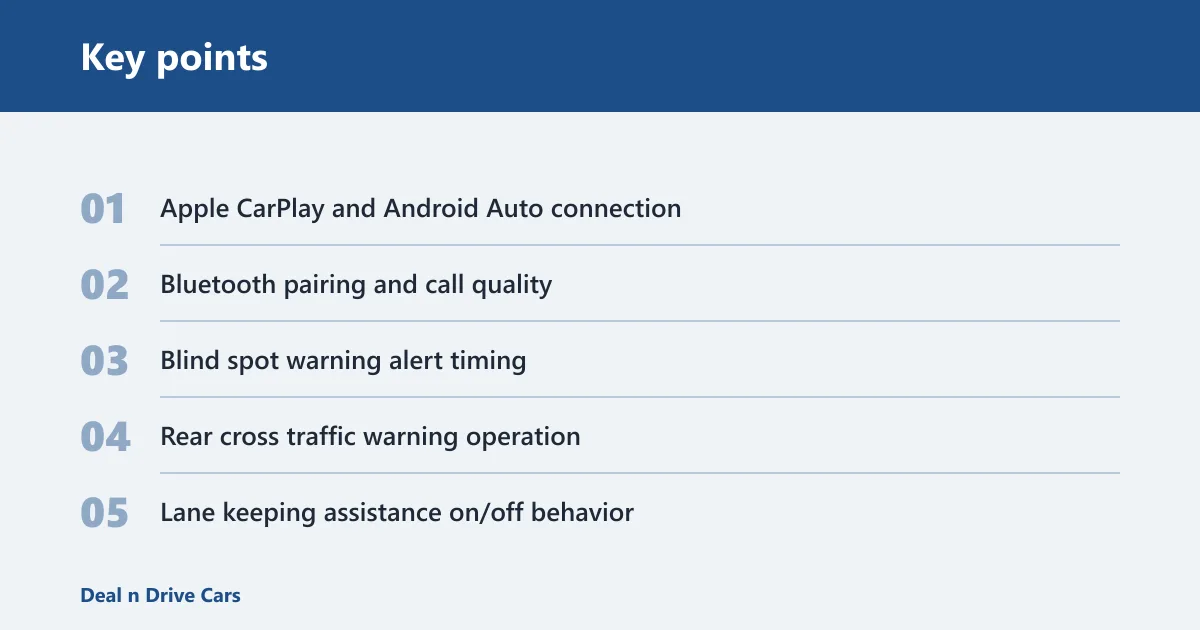
Look at blind spot warning, rear cross traffic warning, lane keeping assistance, and automatic emergency braking with pedestrian detection if equipped. You should not try to trigger these systems during the drive. Instead, note whether their alerts make sense, whether lane keeping can be turned off easily, and whether adaptive cruise holds a calm following distance without abrupt input.
Controls worth checking
- Apple CarPlay and Android Auto connection
- Bluetooth pairing and call quality
- Blind spot warning alert timing
- Rear cross traffic warning operation
- Lane keeping assistance on/off behavior
- Adaptive cruise smoothness, if equipped
- AEB warning presence, if equipped
| Checkpoint | Pass | Concern | Fail | Note | Urgency 0-2 |
|---|---|---|---|---|---|
| 1. Merge acceleration | Reaches highway speed cleanly | Small hesitation or one shift delay | Repeated hesitation or weak merge | ||
| 2. Power reserve at 60 mph+ | Enough pull to join traffic calmly | Feels modest but usable | Feels strained or out of breath | ||
| 3. Steady tracking | Tracks straight with light correction | Small lane drift tied to road surface | Persistent pull or wandering | ||
| 4. Steering centering | Wheel sits near center naturally | Needs mild correction | Off-center feel or constant correction | ||
| 5. Vibration and shake | No notable shake at speed | Light buzz on rough surface only | Steering or seat shake at cruise | ||
| 6. Wind noise | Normal for class and speed | Noticeable hiss from one area | Clear whistle or loud leak | ||
| 7. Road and tire noise | Acceptable hum or roar | Louder than expected on rough pavement | Booming, droning, or harsh roar | ||
| 8. Passing power | Safe, confident legal pass | Needs planning but completes cleanly | Feels unsafe or too weak to pass | ||
| 9. Brake feel | Firm and smooth | Soft, grabby, or less confident | Spongy, pulsing, or inconsistent | ||
| 10. Straight-line braking | Stops straight during normal slowdown | Small drift only on one surface | Pulls left or right | ||
| 11. Driver aids | Predictable and easy to manage | Works but feels intrusive or late | Unpredictable or difficult to disable | ||
| 12. Visibility and controls | Good mirrors, rear view, and reach | Minor fit issue or awkward control reach | Poor rear view or poor control placement |
Use the urgency score this way: 0 means you can note it and keep shopping, 1 means it deserves a closer look or a second drive, and 2 means it is a serious concern that can change the buying decision. That keeps the highway segment useful instead of vague.
Frequently asked questions
What should I listen for on the highway during a test drive?
Listen for wind hiss, tire roar, road boom, drivetrain whine, and any trim rattle that appears only at speed. Compare the same stretch of road in any second car you drive, because that makes noise differences easier to judge. A single noisy patch is less important than a repeated sound that follows the car.
How do I tell if a car tracks straight at highway speed?
Hold a steady cruise and note whether the steering wheel stays near center with only small corrections. Road crown or pavement grooves can cause a light pull on one surface, so compare more than one lane and more than one road. A true tracking problem persists across surfaces and feels like the car wants to drift.
What highway problems should I look for on a used car test drive?
Look for weak acceleration, transmission hunting, vibration, steering pull, brake shudder, loud wind or tire noise, poor rear visibility, and driver aids that feel erratic or hard to disable. Those issues may not show up around town. Highway speed often reveals the faults a short neighborhood loop hides.