What Used Car Site Has the Most Listings?
Marketplace sites and nationwide classifieds usually have the most used-car listings, with large aggregators often topping single-dealer sites by thousands; compare active-listing counts, not homepage claims. If you skip that, you can waste time on thin stock or miss better matches listed elsewhere. This guide shows which sites are most likely to have the biggest inventory and shows you how to verify the count yourself in under two minutes.
Breadth depends on scope, duplicates, and your search radius
There is no fixed winner you can trust forever. The site with the biggest usable inventory is usually a large national marketplace or classifieds network, because it pulls from many sellers across many ZIP codes. Dealer websites matter too, but they mostly show one store or one dealer group’s stock.
“Most listings” can mean three different things. Total active listings is the headline count. Unique vehicles is the real number after you remove duplicate ads. The widest near-you selection is what matters when you want cars within 25, 50, or 100 miles.
What tends to rank highest
For breadth, large marketplaces come first. They aggregate inventory from many dealers and private sellers, so their counts are broader than a single rooftop page. Dealer-group inventory pages come next. Single-store pages come last, because they can only list what one location has on hand.
That ranking changes by market and by day. The useful question is not “Which site has the biggest homepage number?” It is “Which site gives you the most relevant options in your search area?”
Used car marketplace inventory

Marketplace inventory is broader because it combines listings from many sellers, while dealer inventory pages are limited to one store or one dealer group. That difference matters most when you want a specific trim, color, or price band. It also matters when you want to compare price, fees, and vehicle history across multiple sellers.
Why duplicate syndication inflates counts
A vehicle can appear on more than one platform, and sometimes on more than one page within the same platform. That means a “20,000 listing” count does not always mean 20,000 unique cars. The same VIN can be syndicated through a marketplace, a dealer’s own page, and a third-party listing feed.
That is why raw totals need context. If one site shows a much larger listing count than another, the larger number may include more duplicates, more out-of-market stock, or more stale ads. The better comparison is active total plus unique vehicles, using the same search settings on each site.
Why freshness and location filters matter more than raw count
Inventory changes fast. A car shown this morning can be sold by afternoon. A search page that looks huge can still be less useful if it is full of stale or far-away listings. Set the same ZIP code, the same radius, and the same filters before you compare counts.
Say your ZIP code is in Northern Virginia and you are looking for a midsize SUV. A 25-mile search may surface mostly local dealer stock, while a 100-mile search can pull in much more inventory from Maryland, D.C., and nearby Virginia stores. The count jumps, but the useful set also changes.
How to compare listing counts fast
Use the same search inputs on every site. Compare the active total, then check whether the site shows enough detail to tell you how many vehicles are truly unique. If the site hides sold listings, shows no filter depth, or blocks local results behind a location wall, its total is harder to trust.
Step-by-step comparison
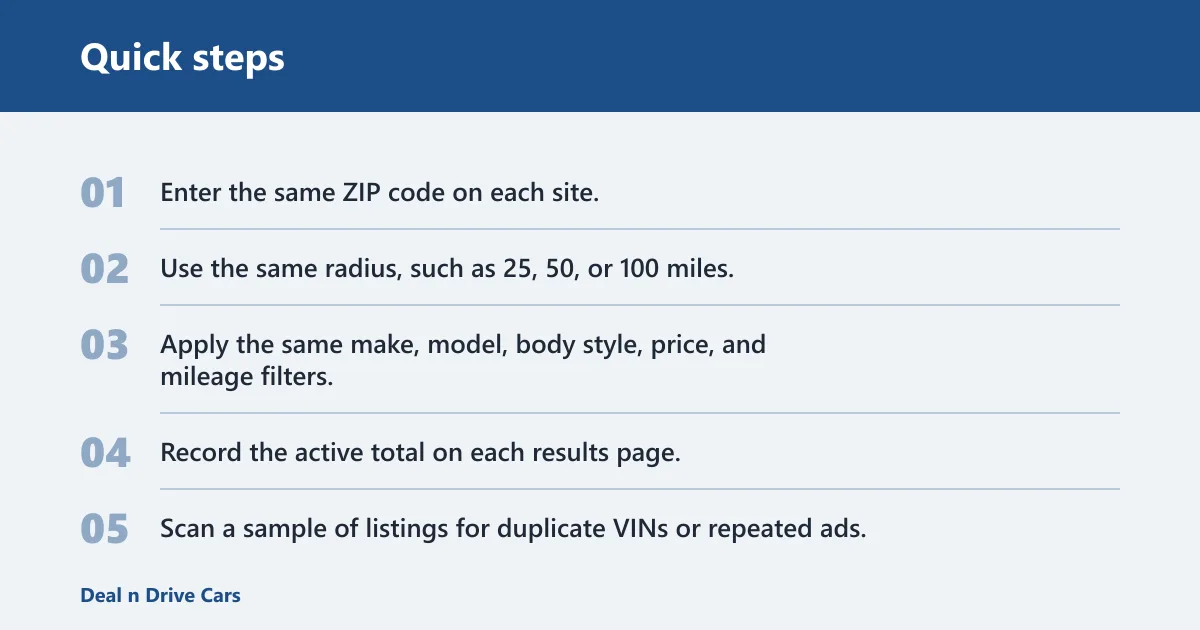
- Enter the same ZIP code on each site.
- Use the same radius, such as 25, 50, or 100 miles.
- Apply the same make, model, body style, price, and mileage filters.
- Record the active total on each results page.
- Scan a sample of listings for duplicate VINs or repeated ads.
- Check whether the site shows sold, pending, or unavailable status.
- Open a few listings and compare fees, history signals, and availability notes.
Search depth and sort tools
A useful inventory page lets you sort by price, mileage, year, distance, and newest listing. It should also support narrow filters for drivetrain, fuel type, color, transmission, and features. The more filters a site exposes, the easier it is to trim a large count into a realistic shortlist.
Suppose you want a 2021 or newer compact SUV under a certain budget and under 60,000 miles. A site with deep filters can shrink thousands of listings to a short list in minutes. A site with only broad filters leaves you scrolling through irrelevant stock.
Near-you coverage
Near-you coverage is the part most shoppers feel first. A national count means little if only a few cars are within your drive. Look at how many listings appear inside your actual radius, not just the site’s total national number. That is where dealer-group pages and local store pages can still help.
Cars.com’s used-cars shopping section is a good example of a marketplace-style search experience because it is built around location-based browsing rather than a single store. Other major used-car sites to compare include AutoTrader, CarGurus, Facebook Marketplace, and Carfax Listings. That is another reason to check multiple sites from the same ZIP code.
What to check before you trust a count
Before you believe a site’s inventory number, verify what kind of stock it is counting and how current that stock looks. Some sites are strong at breadth but weak on freshness. Others show fewer listings, but the listings are closer to your location and easier to verify.
Local dealer pages are narrower by design
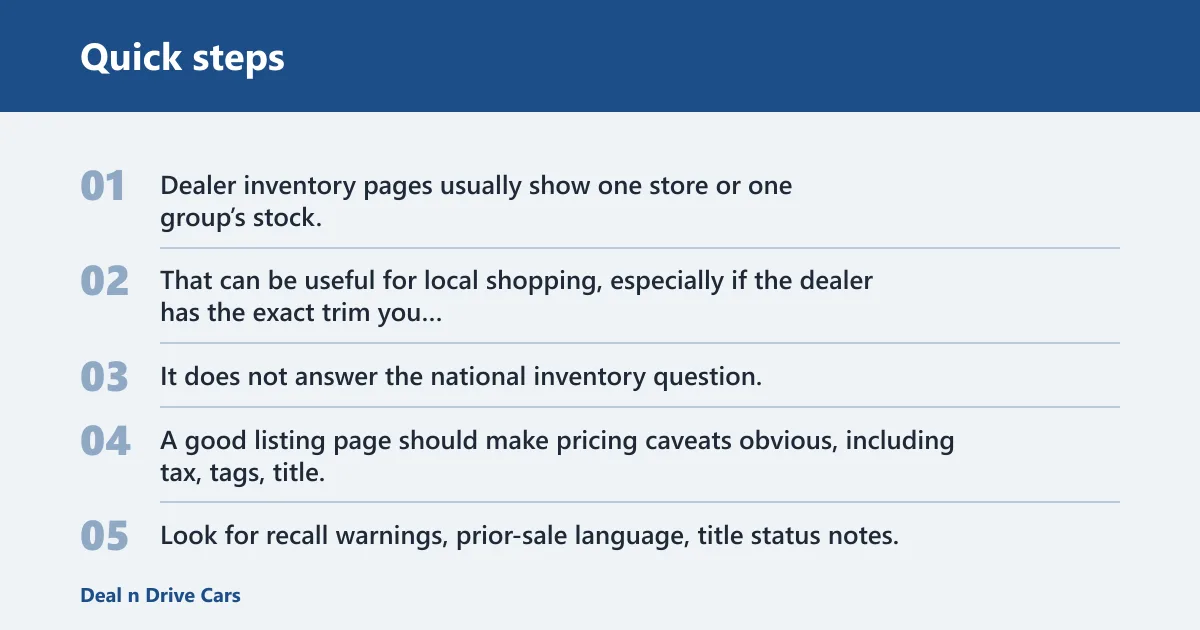
Dealer inventory pages usually show one store or one group’s stock. That can be useful for local shopping, especially if the dealer has the exact trim you want and clear availability notes. It does not answer the national inventory question, because the page is not aggregating the wider market.
Price, fees, and vehicle-history signals
A count is only one part of the decision. A good listing page should make pricing caveats obvious, including tax, tags, title, registration, and any processing or electronic filing fees.
Vehicle-history signals matter too. Look for recall warnings, prior-sale language, title status notes, and any mention of unavailable or incoming vehicles. That kind of note helps you separate live stock from planned stock.
Sold-listing visibility
Sites that keep sold or pending listings visible can help you gauge turnover, but they can also confuse count checks if you do not filter carefully. If sold ads are mixed into active results, the headline number may overstate what is actually available today. That is why the active count alone is not enough.
| Checkpoint | What to verify | Fast check |
|---|---|---|
| Total active listings | The number shown on the search results page | Record the active total after applying the same ZIP and radius |
| Unique vehicles vs duplicates | Whether repeated ads or syndicated VINs are inflating the count | Sample 10 listings and look for repeated VINs or the same vehicle on different pages |
| Search radius | Whether you can compare 25, 50, and 100 miles on each site | Use one radius across all sites before comparing totals |
| Filter depth | Make, model, price, mileage, body style, year, drivetrain, and features | Count how many narrowing filters the site exposes |
| Near-you coverage | How many live results appear inside your actual drive range | Check the number within 25 miles, then 50 miles |
| Same-day freshness | Whether the page shows recent updates or new-arrival timing | Sort by newest and note how recently the cars were posted |
| Sold-listing visibility | Whether sold, pending, or unavailable cars are clearly labeled | Open a few results and see if availability is current |
| Price and vehicle-history signals | Fees, recall notices, prior-sale language, and history notes | Read the full listing before you contact the seller |
Are dealer websites better than big used car marketplaces?
Dealer websites are better for one store’s live stock, store-specific financing, and local offers. Big marketplaces are better for breadth, easier side-by-side comparisons, and a wider set of sellers. If you want one dealership’s inventory, the dealer page can be enough. If you want the widest selection, start with a marketplace.
When dealer sites help
Dealer pages can be the better choice when you already trust the store, want to check a specific vehicle, or care about promotions tied to that retailer. That can simplify the next step after you narrow your search elsewhere.
Safford Auto is another local example of dealer-group inventory browsing. It matters because dealer groups can cover more than one store, but they still are not a national marketplace. Their inventory is local and brand-specific, not a cross-country count of every used car available online.
How to use dealer listings alongside marketplace searches
Use marketplaces to find the widest set of candidates, then use dealer pages to verify a local vehicle’s current status, price notes, and history disclosures. That split keeps you from overcounting duplicate ads while still letting you compare live local stock.
How should you search for used cars online?
Search more than one site. Inventory changes too fast to rely on a single source, and duplicate syndication means one site may carry the same car that appears elsewhere. Use at least one large marketplace and one or two dealer pages in your area, then compare the live results.
Set alerts for new arrivals
Alerts matter because good cars disappear quickly. If a site lets you save a search, use it for the exact make, model, price, mileage, and radius you want. That way you get new matches instead of refreshing the same stale page all day.
Compare price, fees, and history before you contact a seller
Before you call or submit a lead, compare the out-the-door details, not just the sticker price. Check tax, tags, title, registration, processing fees, and any electronic filing fee. Review recall notices, prior-sale language, and whether the listing says the vehicle is currently in stock.
How to verify a site really has the most listings
Use the same ZIP code, the same radius, and the same filters on every site. Then compare active totals, check whether duplicate listings are inflating the count, and confirm that the site actually covers your area with live stock. In under two minutes, you can tell whether the number is broad, narrow, or padded.
- Total active listings: Record the live count on the results page.
- Unique vehicles vs duplicates: Sample listings for repeated VINs or repeated ads.
- Search radius: Keep the radius identical, such as 25, 50, or 100 miles.
- Filter depth: Check whether the site lets you narrow by make, model, price, mileage, body style, and features.
- Near-you coverage: Count how many results sit inside your real drive range.
- Same-day freshness: Look for sort-by-newest and recent posting dates.
- Sold-listing visibility: Confirm that sold, pending, or unavailable vehicles are marked clearly.
- Price and vehicle-history signals: Read fees, recall notices, prior-sale warnings, and history notes.
Frequently asked questions
What used car site has the most listings?
Large national marketplaces and classifieds networks usually have the most listings because they aggregate stock from many sellers. Still, the biggest visible total is not always the best result for you. Compare active listings, unique vehicles, and your local radius before you decide which site is strongest for your search.
Which used car website has the most listings?
The site with the most listings depends on your ZIP code, radius, and filters, because inventory changes daily and counts can include duplicates. The safer way to choose is to compare live totals on a large marketplace and a dealer page using the same search settings.
Where is the best place to find a good used car?
The best place is the one that gives you the widest relevant selection, current availability, and clear pricing notes. That often means starting with a marketplace, then checking dealer pages for local stock and offers. Compare price, fees, history signals, and recall notices before you contact anyone.
Where should I look for used cars?
Start with one large marketplace, then add dealer inventory pages within your target radius. Use the same filters on each site so the comparison stays fair. If you only search one source, you can miss better matches, fresher listings, or a lower price on the same vehicle.
What is the best website to look for used cars?
The best site is the one that balances breadth, filter depth, and local coverage for your search. For many shoppers, that will be a large marketplace rather than a single dealer page. For others, a dealer site is useful once the search is already narrowed to one vehicle or one store.
Should I search one site or multiple used car sites at once?
Search multiple sites at once. Inventory moves fast, and duplicate ads can appear across platforms, so a single source can miss live options or overstate availability. Use at least one marketplace and one dealer page, then compare counts, fees, and vehicle-history details before you decide.