How to Search All Used Car Sites at Once: Quick Steps
What you’ll need
- A make and model shortlist, with one or two trim levels.
- Your year range, mileage cap, and price range.
- A ZIP code or postcode and a search radius.
- A notes sheet for VIN, mileage, price, location, seller type, listing age, and scam flags.
- A web browser, plus one aggregator or search engine and several marketplace tabs.
- Email and mobile notifications turned on for saved searches.
How do I search all used car sites at once?
Use one aggregator or search each major marketplace with the same filters, then sort by price, mileage, and distance. If you want a repeatable method, start by searching a few sites instead of just one. Bad searches waste hours on duplicates, stale ads, and scam listings that look fine until you check the details. This workflow keeps the first pass broad, then trims the results.
What “all sites” means in practice
“All” means the main marketplace types, such as dealer sites, private seller sites, auction sites, and classifieds. Each type has a different inventory source, seller type, coverage, and listing freshness. Not every site lists the same cars, so one search never gives a complete market view.
Broad search tools help at the top of the funnel. BroadbandNow frames its page around comparing providers by ZIP code or address, says users can search for plans and bundles from various providers in one place, and labels its service as powered by Google. Google Search says AI Mode lets users ask follow-up questions and can help find relevant sites across the web in real time.
Which marketplace types to include
Start with dealer sites for retail inventory, then add classifieds for private sellers, then auction sites for lower-visibility stock, then any aggregator that indexes multiple sites. A common first-timer mistake is treating one marketplace as the full market. It is not.
Why inventory never matches across sites
Listings move fast. Sellers cross-post the same vehicle on multiple sites, some platforms refresh more often than others, and old ads can remain visible after the car is gone. That is why duplicate VINs and listing age matter as much as price.
What you’ll need before you search
Start with a narrow setup: make, model, trim, year, mileage, price, and location. That keeps the first results set usable instead of massive. A clean notes sheet also matters, because you need a fast way to compare each listing without re-reading every page.
- Pick one make and one model.
- Choose a year range and mileage cap.
- Set a price range and one trim level.
- Choose transmission if it matters to you.
- Enter a ZIP or postcode and radius.
- Add delivery filters where a site offers them.
Say your range is 25 miles around ZIP code 60601. Start there, then widen only if the first pass comes back thin. Suppose a result looks cheap but has no VIN. Put it aside until you can verify the vehicle another way.
How to build a multi-site search workflow
The fastest repeatable method is simple: use an aggregator or search engine first, then open the same search on each major marketplace and keep the filters identical. That gives you broad coverage without losing control of the results. It also makes duplicate detection easier later.
- Run the base search in an aggregator or search engine.
- Open dealer, classified, auction, and private seller sites in separate tabs.
- Apply the same make, model, year, mileage, price, and trim filters.
- Set the same ZIP or postcode plus radius on every site.
- Save each search before you move on.
- Turn on alerts after the first pass is complete.
Yahoo Search shows a query waiting for permission to use voice search, advertises voice search through a microphone prompt, and notes that summaries may be generated by AI. That kind of quick entry can help with broad discovery, but the cleanup step still belongs in the marketplace tabs.
What is the fastest way to compare used car listings across sites?
The fastest comparison method is a two-pass sort: first by filter fit, then by duplicate risk. Use the same vehicle criteria everywhere, then rank the remaining results by mileage, price, location, seller type, and listing age. That keeps obvious mismatches out of the final shortlist.
Use the same filter stack everywhere
Apply filters in this order: make and model, year range, mileage cap, price range, trim level, transmission, then location radius. Add delivery filters only after the core search is stable. If one site allows fewer fields, use the closest match and note the gap.
Compare prices after the filters
Do not compare raw prices before checking the same trim, transmission, and mileage band. A lower number can hide more miles, fewer options, or a different seller type. A dealer fee or delivery charge can also change the real total.
How do you compare results without double-counting cars?
Use VIN as the main match field, then compare mileage, price, location, seller type, and listing age. Cross-posted cars often appear on more than one site, and relisted cars can look new when they are not. VIN is the cleanest way to tell whether two listings are the same vehicle.
Use VIN as the first check
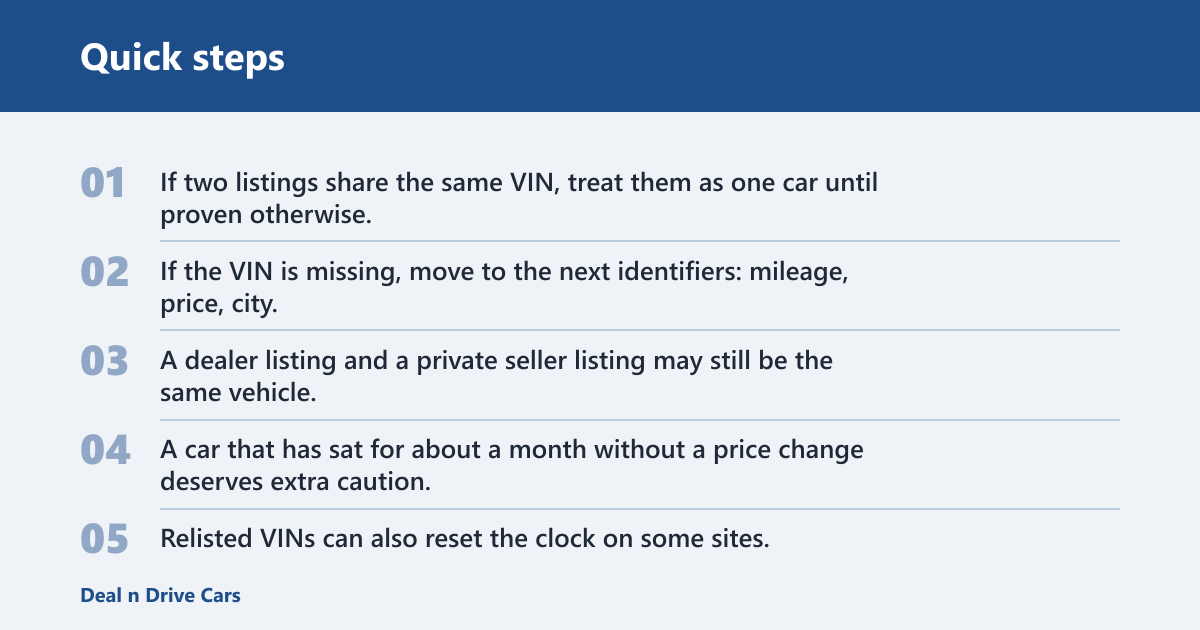
If two listings share the same VIN, treat them as one car until proven otherwise. If the VIN is missing, move to the next identifiers: mileage, price, city, and seller type. A dealer listing and a private seller listing may still be the same vehicle.
Watch for stale or relisted inventory
Listing age matters. A car that has sat for about a month without a price change deserves extra caution, especially if the photos and wording look generic. Relisted VINs can also reset the clock on some sites, which makes old inventory look fresh.
| VIN | Mileage | Price | Location | Seller type | Listing age | Scam flags |
|---|---|---|---|---|---|---|
| 1HGBH41JXMN109186 | 42,800 | $18,900 | Dallas, TX | Dealer | 3 days | None yet |
| 2T1BURHE5JC073421 | 58,200 | $16,400 | Arlington, VA | Private seller | 19 days | Same photos on two sites |
| 3N1AB7AP4FY224508 | 91,100 | $11,500 | Phoenix, AZ | Auction | 1 day | VIN missing from public view |
How do you set alerts across multiple used car websites?
Turn on email alerts where available, use push notifications for faster response, and keep saved searches aligned across sites. The goal is to catch new inventory before someone else does, not to refresh ten tabs all day. Frequency controls matter because some sites send every match and others batch updates.
Set alerts before the market moves
Use saved searches for each marketplace, then match the filters exactly. If one site uses miles and another uses kilometers, convert the radius once and keep the number consistent. Google Search says its AI Mode is its most powerful AI Search experience, but marketplace alerts still need to be set inside each platform.
Keep the alert stack tidy
One search per car type is usually enough. If you split alerts by tiny trim differences, you will drown in mail and push notices. A cleaner setup is one alert for the core model, one for the preferred trim, and one for a wider backup search.
What used car website has the most listings?
There is no reliable single winner that fits every buyer, because inventory changes by market, seller type, and site rules. Dealer sites may be strong in retail stock, classifieds may have more private listings, and auction sites can surface different cars altogether. The safest answer is to search several sites, then compare the overlap.
Why “most listings” is the wrong only metric
A site with more listings can still be weaker for your search if its inventory is stale, duplicated, or far outside your radius. Coverage matters more than raw count. You want the sites that show fresh, relevant cars in your area.
Use a source mix instead of a single source
Start with one aggregator, then add a dealer site, a classified site, and an auction site. That mix gives you broader coverage and helps reveal duplicates faster. It also reduces the chance that one platform’s inventory lag hides a good match.
How do I avoid duplicate listings when searching many used car sites?
Match VIN first, then compare mileage, price, location, seller type, and listing age. That is the fastest way to stop counting the same car twice across sites. Also watch for repeated photo sets and nearly identical descriptions from different sellers.
- Log the VIN for each serious result.
- Compare mileage within a small range.
- Check whether price changes match the seller type.
- Verify the city and distance from your ZIP code.
- Look at listing age before you contact anyone.
- Mark cross-posted cars as one vehicle, not two.
Picture two listings for the same SUV: one on a dealer site at 41,200 miles and one on a classifieds site at 41,180 miles. The price differs by $500, but the VIN and photos match. That is one car, not a bargain pair.
Common mistakes to avoid
Most bad searches come from four errors: trusting stale inventory, ignoring duplicate VINs, skipping seller verification, and treating every listing as unique. Hidden fees and delivery terms also change the real price, so read the full listing before you save it.
- Stale inventory: Check listing age and last update before reaching out.
- Duplicate VINs: Log the VIN, then merge matches across sites.
- Weak seller verification: Ask for a name, business detail, or platform verification before you call.
- Too-good-to-be-true pricing: Compare it with similar miles and trims.
- Stolen photos or relisted VINs: Flag repeated images and reused vehicle IDs.
- Hidden fees or delivery terms: Add them to your notes before you compare totals.
How to spot scam flags fast
Look for prices far below similar listings, blurry ownership details, and photo sets that appear on more than one site. If the seller refuses basic verification, walk away. A low price is not a deal if the listing cannot hold up to simple checks.
Frequently asked questions
How do I search all used car sites at once?
Use one aggregator first, then repeat the same make, model, year, mileage, price, and ZIP or postcode filters on several major marketplaces. Save each search and compare the overlap. That is the fastest way to get broad coverage without mistaking duplicates for extra inventory.
Is there a way to search all used car sites at once for free?
Yes. Many marketplaces and search engines allow free searches, and some support free saved searches or alerts. The tradeoff is manual cleanup. You still need to compare VIN, mileage, location, and seller type to avoid counting the same car twice.
What is the fastest way to compare used car listings across sites?
Filter by the same criteria on every site, then sort by price, mileage, and distance. After that, check VIN and listing age to remove duplicates and stale ads. This keeps the comparison focused on real differences instead of messy search results.
Which sites should I include when I search all used car sites?
Include dealer sites, private seller classifieds, auction sites, and at least one aggregator. Those four types cover different inventory sources and seller types. That mix is usually enough to reveal cross-posted vehicles, fresh stock, and listings that never appear everywhere.
Can I set alerts across multiple used car websites?
Yes. Turn on email alerts and push notifications where available, then keep the saved search settings identical across sites. Use frequency controls so alerts do not pile up or arrive too slowly. The goal is fast notice on new matches, not a crowded inbox.
How do I search all eBay sites at once?
Use eBay’s search with the same make, model, year, mileage, and location settings, then check the relevant regional or category views one by one. If a broad search turns up too much noise, narrow it by transmission, trim, or radius before saving the search.